

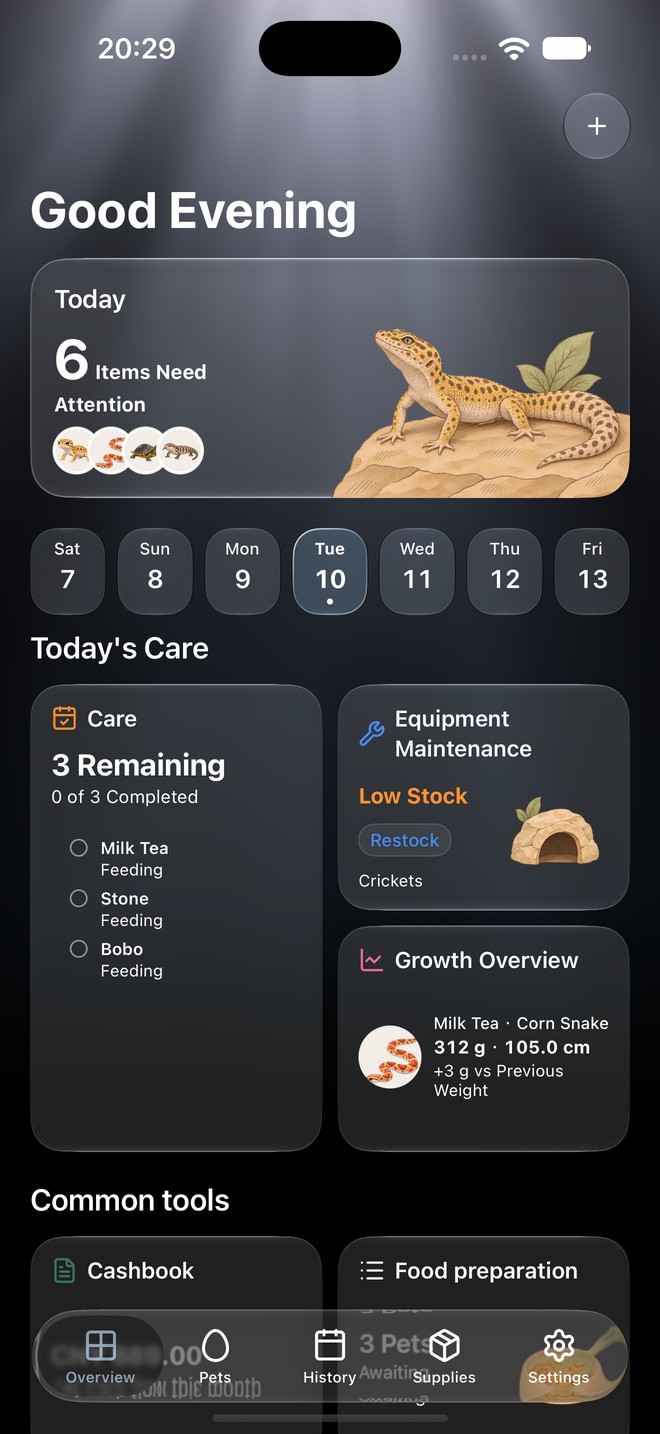
Record what happened, when it happened.
A useful feeding log keeps the feeding date, food and amount together. Choose the pet before recording a meal so one animal’s history stays separate from the rest of your collection. Enter the amount and unit you actually used; a reminder is a plan, not proof that a meal happened.
Start a feeding history in three steps.
- Create a pet profile with the species and details you know.
- Record a feeding with its date, food and amount, then save it.
- Return to that pet’s history to check the saved entry before planning the next feeding.
Set reminders around your own routine.
Create a care plan for feeding and check upcoming tasks in the overview. Turn on app reminders and allow system notifications if you want an alert. You remain in control of the schedule: a notification does not automatically create a feeding entry or decide the right diet for your animal.
Connect feeder stock when you need it.
Terria Pro adds recipes and inventory management. A feeding linked to an inventory item records the selected supplies used and their cost. Ordinary manual care records and task reminders are available in the free version for up to three pets; check the app for current Pro terms.
Keep a copy of the history.
Your records start on your device without a Terria account. On iOS, you can export a complete ZIP backup with photos or choose personal iCloud sync. Keep an exported backup when you need a separate copy of your care records.